Device Manager
The Device Manager is used to access device information, settings, and other management functions of a FrontPanel-enabled device. Capabilities include:
- Device Information – Current status and information about the device such as device ID, serial number, firmware revision, and other product details. Much of this information is also available via the FrontPanel API.
- Device Settings is a persistent storage for pre-established key/value pairs. Available settings for each device are published within the device data sheet such as here: XEM8320 Device Settings. The device manager provides an easy-to-use interface to view and make changes to these settings.
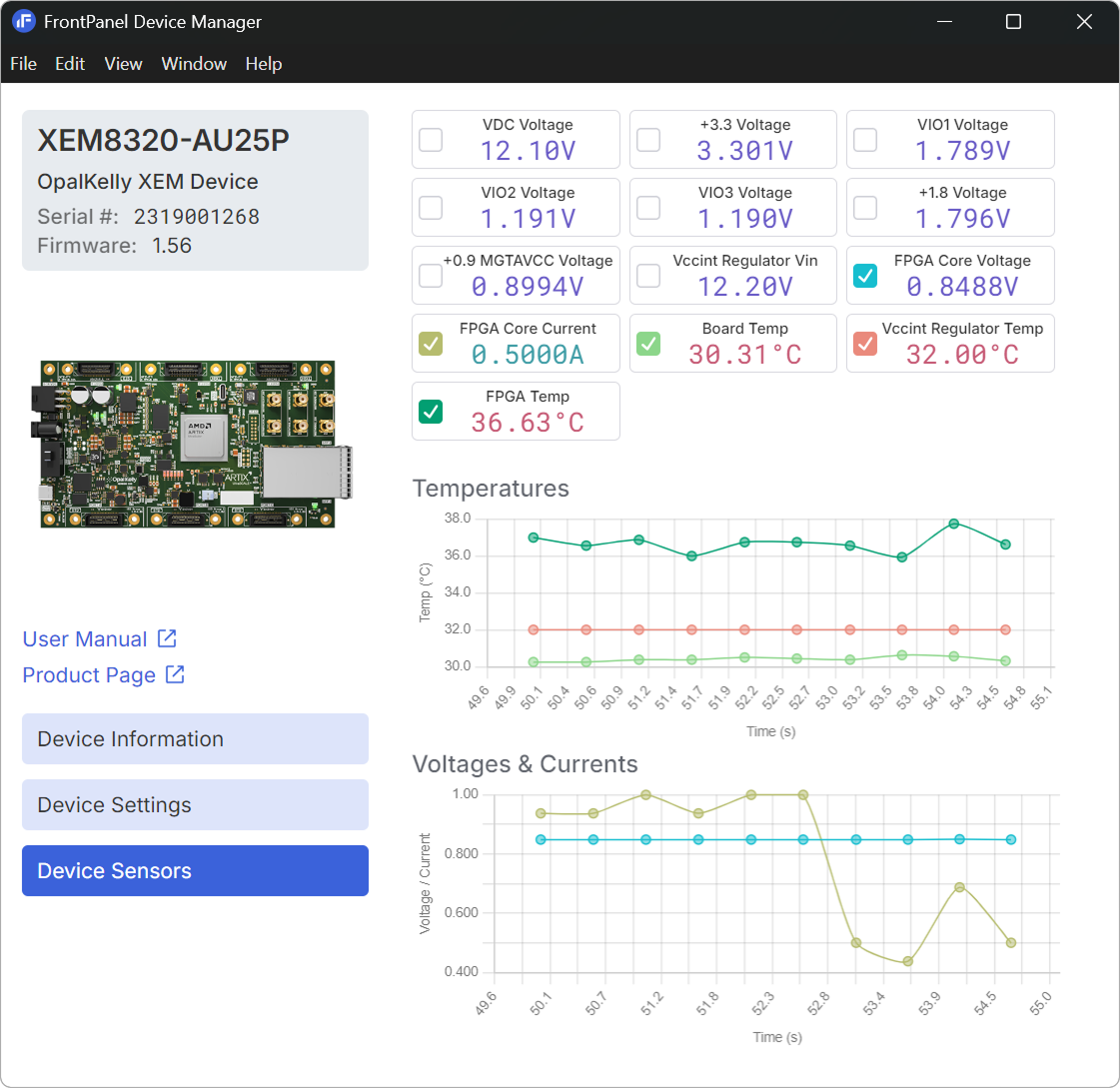
- Device Sensors is an API used to access on-board voltage, current, temperature, and other monitoring parameters. The device manager provides access to these sensors for supported devices.
Device Sensors
Device Sensors are supported on many FrontPanel USB Gen 2 and USB Gen 3 devices. The API provides realtime access to various on-board sensors such as voltage, current, and temperature. In the Device Manager, you can view the current status of these sensors in list and chart form.
SYZYGY Peripherals
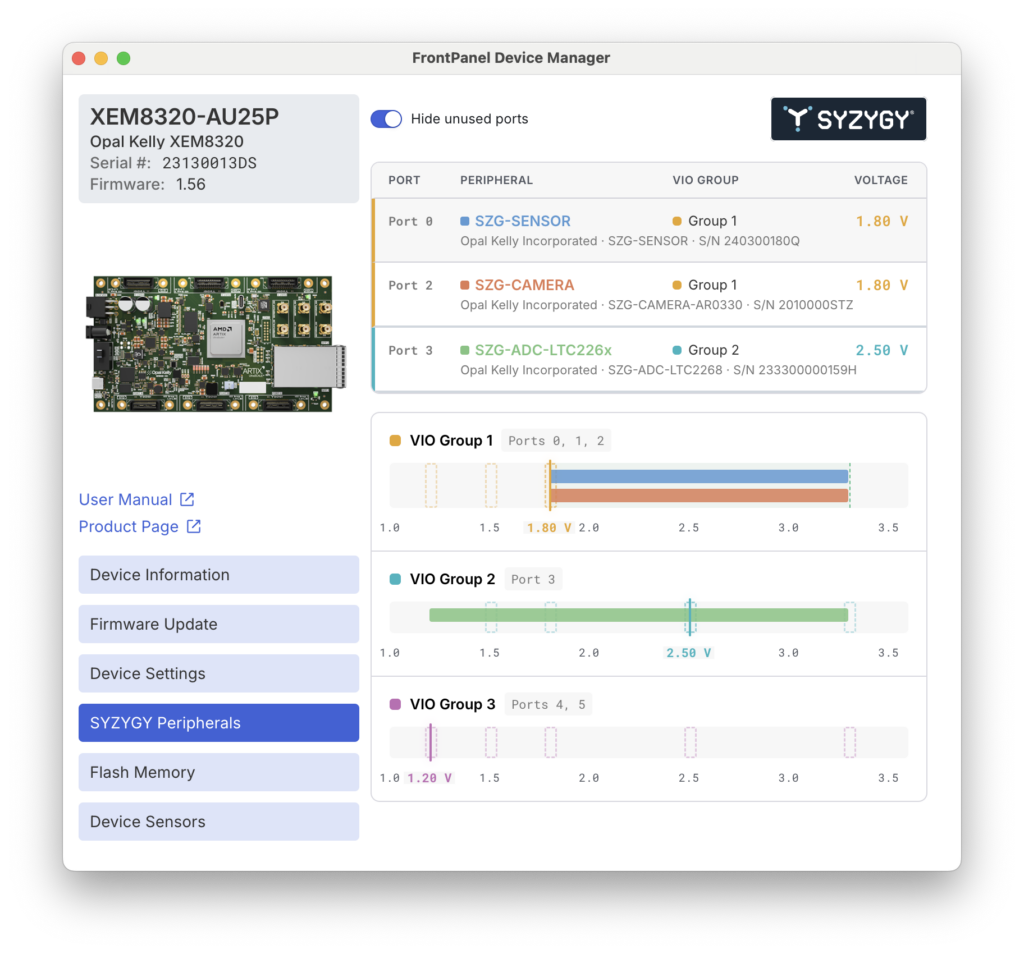
SYZYGY-Compliant devices report their SYZYGY DNA to the FrontPanel Platform including the controller’s SmartVIO solution. This information is visualized within the Device Manager.
Here, you can see the peripherals connected, their VIO Group, and each group’s power status. If a SmartVIO solution was not determined for safe operation of all peripherals and the host, the group will remain unpowered.
Below the peripheral listing are the VIO Groups, the peripherals reporting to each group and their corresponding voltage ranges. Shown with dotted boundaries are the host ranges.